Table of Contents
Introduction
Few things are more frustrating than seeing your iPhone battery drain halfway through the day or noticing your iPhone battery health declining faster than expected. You leave the house at a full 100% and scroll normally for a few hours and by late afternoon you are searching for a charger. Some people assume the phone is simply getting old, while others blame Apple’s battery management policies.
In reality for most users a dying battery is just because of our daily habits.
All iPhones use a lithium-ion battery. Like every rechargeable battery, iPhone batteries also have a limited number of recharge cycles and naturally wear down over time. But how quickly that decline occurs is up to you. Battery lifespan mostly depends on how you charge your phone, how much heat is exposed to it and how you manage it day-to-day.
According to Apple iPhone batteries are designed to retain up to 80% of their original capacity after around 500 complete charge cycles under normal conditions. Batteries of iPhone 14 models and earlier are designed to retain 80 percent of their original capacity at 500 complete charge cycles under ideal conditions. Batteries of iPhone 15 models and later are designed to retain 80 percent of their original capacity at 1000 complete charge cycles under ideal conditions.
Here’s how iPhone battery health really works, what habits actually matter, and how to keep your phone running efficiently without worrying about every small battery drop.
Battery Health vs. Battery Life
Many users use these terms interchangeably, but understanding iPhone battery health is important because battery life and battery health are not the same thing.
Battery life is about daily usage between charges, while battery health measures the overall condition of the battery over time.
Your new iPhone’s battery health is a full 100% out of the box. After hundreds of charge cycles the battery slowly loses its original capacity. For example, you’ve got an older phone that’s at 80 percent battery health. It might still say “100%” at the top of your screen, but it can only store around 80% of the charge it once could. That’s why older phones seem to run out of battery very quickly, even if you are not doing heavy tasks. The iPhone 15 and iPhone 16 Pro are very powerful devices that are designed to last for many years, but end up upgrading earlier than expected.
The Golden Rules of iPhone Charging
Proper charging habits are one of the biggest factors affecting iPhone battery health over time. The following are the best charging habits for iPhone battery.
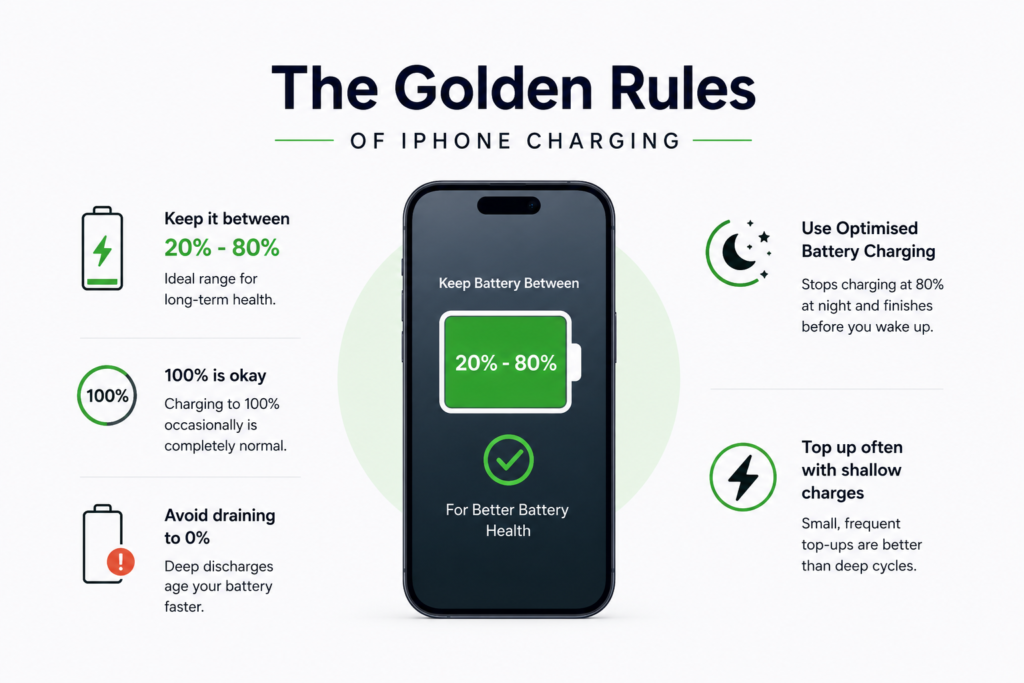
Today’s iPhones are designed to manage battery charging much more intelligently. Battery chemistry still has physical limits regardless of software improvements. Batteries experience the most stress when they’re completely dead or fully charged. Try to keep the battery level between 20% and 80% when possible. You do not need to worry about occasionally charging fully. Charging to 100% occasionally is completely normal. Letting your phone complete battery drain before plugging it in is prematurely ageing your battery. Today’s batteries want shallow, frequent top-offs, not deep, exhausting discharges.
Apple also includes built-in battery management tools, such as Optimised Battery Charging (Settings > Battery > Battery Health & Charging). It learns your daily routine and stops charging at 80% at night. It keeps the last 20% for just before you wake up, remaining fully charged overnight for extended periods. Apple itself recommends enabling Optimized Battery Charging to help reduce long-term battery aging.
How Heat Affects iPhone Battery Health
Many users search for how to improve iPhone battery health, but the answer mostly comes down to heat management and smarter charging habits. High temperatures can ruin the battery health quickly. Excessive heat is one of the fastest ways to damage iPhone battery health permanently. Overheating increases battery degradation and can cause a permanent loss of capacity. To protect your device, avoid these common causes of overheating.
- Putting your phone to charge under a pillow, blanket or heavy bed.
- Leaving your device in a hot car on the dashboard.
- Fast charging while intensive gaming or editing videos.
- Using thick and heavy protective cases that trap heat when doing intensive tasks.
Fast charging itself is generally safe on modern iPhones. If your phone becomes hot to the touch, unplug it or take off the case and let it cool down. Keeping the phone cool is usually more important than worrying about exact charging percentages.
Settings That Can Improve iPhone Battery Health
Good charging habits are great for your long-term health and can help to preserve both battery life and overall iPhone battery health. But a few settings will save your battery life in daily use.
- First check your display, which usually uses the most power. Keep Auto-Brightness on so your screen isn’t using unnecessary brightness (and draining power) unnecessarily in a dark room.
- If your iPhone has an OLED display like the iPhone 15 and 16 lines do, turn on Dark Mode. Dark interfaces save a lot of energy because OLED displays turn off individual pixels when showing black.
- Secondly, manage your apps. Review your settings to determine what apps are drawing the most power, and disable Background App Refresh for apps constantly refreshing in the background, such as social media or retail apps.
- Finally manage your data. 5G is super fast, but if you are in an area with poor coverage, your phone will drain power trying to keep the signal. Change to LTE or connect to more reliable Wi-Fi networks for an instant battery break.
- Some apps continuously access your location even when they do not need to. Restricting location permissions to “While Using the App” can reduce background battery usage and improve overall efficiency.
- Battery drain can be reduced by limiting the background AI processing in modern phones. Heavy background AI processing can also increase power consumption and thermal load on smartphones. We explained this deeper in our guide on how AI features affect smartphone performance and battery efficiency.
Common Battery Myths
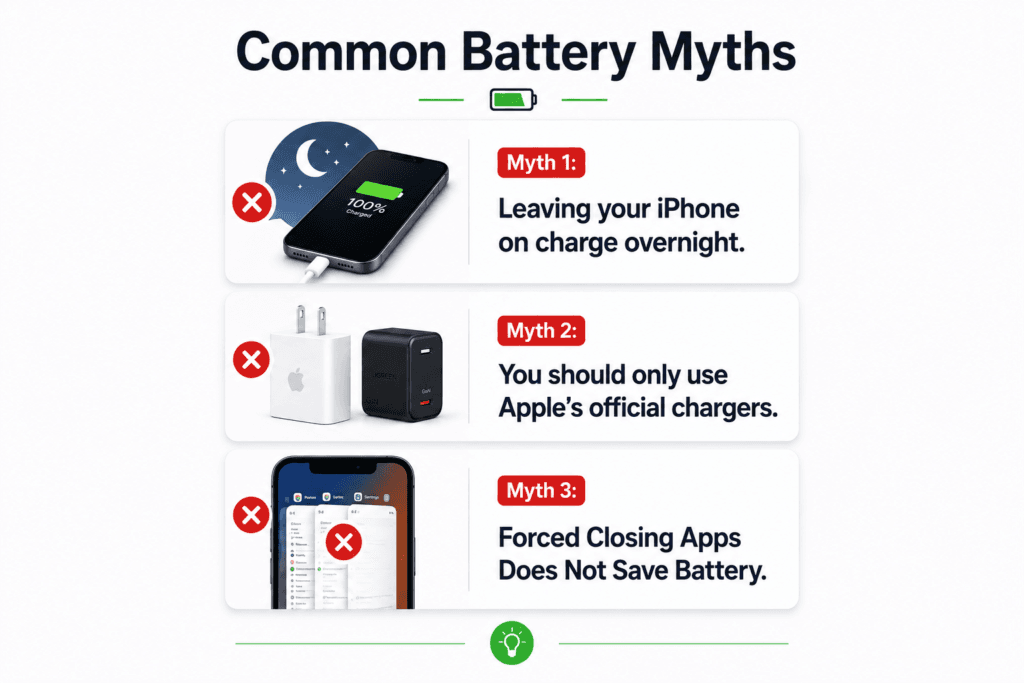
Myth 1: Leaving your iPhone on charge overnight.
Modern smartphones no longer work that way. Modern iPhones have built-in battery management systems. The phone automatically manages charging once the battery is full. However, using Optimised Battery Charging is still recommended to reduce time spent at 100% so it won’t overcharge.
Myth 2: You should only use Apple’s official chargers.
Apple chargers are not the only safe option, but you do pay for the quality. Third-party chargers from trusted brands with USB-C PD and GaN are perfectly safe. The real danger is very cheap uncertified chargers that don’t have reliable charging protection systems.
Myth 3: Forced Closing Apps Does Not Save Battery.
Forced closing your background apps all the time is actually a bigger drain on your battery. iOS is designed to pause apps efficiently in the background. When you forcefully close the apps, your phone load the apps again from the beginning. Only quit an app if it is frozen or not working properly.
When do I need to get a new battery?
Apple recommends service at 80% max capacity. When iPhone battery health falls below this number you’ll probably notice slower performance, random shutdowns and much shorter battery life.
At that stage, remember you don’t have to buy a brand-new phone. A pro battery replacement from Apple is a fraction of the cost of a new device and can make your three-year-old iPhone restore much of the original battery experience. If your camera and performance still suit your needs, avoid replacing the phone unnecessarily.
Apple support mentioned that battery replacements can help restore normal peak performance on older devices affected by battery ageing.
Quick iPhone Battery Health Tips
- Keep your battery between 20% and 80% whenever possible.
- Avoid exposing your phone to excessive heat, especially while charging.
- Use optimized charging features on iPhone and Android devices.
- Reduce unnecessary background app activity.
- Replace the battery when health drops near 80% instead of immediately buying a new phone.
Does 5G use more battery than 4G?
Yes, 5G connectivity will drain the battery more quickly than 4G. 5G networks are still inconsistent in some areas, so your device has to work harder and use more power to stay connected at high speeds, especially in areas where the 5G signal is weak or inconsistent. If you’re low on power, changing your mobile data settings to LTE/4G often improves battery life noticeably.
Is it safe to use a third-party charger on my iPhone or Android?
Generally, it is completely safe when using certified accessories (such as Anker, Ugreen, or Belkin). Modern smartphones automatically regulate the incoming voltage. The real danger comes from very cheap, uncertified chargers that may lack proper electrical protections.
Can I let my phone’s battery drain to 0% before charging it?
Can I let my phone’s battery drain to 0% before charging it?
No, don’t let your smartphone’s battery run out completely. This is an old rule for older nickel based batteries. Modern lithium-ion batteries degrade faster when they are completely empty or completely full. To get the most out of your battery, try to charge your device before it drops below 20%.
Does Dark Mode really save battery?
Dark Mode helps save battery life but only if your phone uses an OLED or AMOLED screen (like newer iPhones, Google Pixels, and Samsung Galaxy flagship phones). OLED pixels can switch off individually when displaying black. If you have an older LCD screen, Dark Mode will change the look of your phone, not your power consumption.
Why is my iPhone battery health degrading so quickly?
Heat is the leading reason for faster battery degradation in battery health. Playing intensive mobile games while charging regularly, leaving your phone in a hot car or using thick protective cases that trap thermal energy accelerates chemical ageing. Other reasons are the intense daily usage cycles and draining the phone to 0% all the time.
At what percentage should I change my phone battery?
Generally the threshold for a replacement is 80% battery health, which is the common replacement point. If your maximum capacity drops below 80%, your operating system may slow down peak performance to prevent sudden shutdowns, and you will notice a substantial decrease in the length of time that your phone lasts on a single charge.