Table of Contents
Introduction
One of the big reasons people are so loyal to Apple products is Apple ecosystem features that connect iPhones, MacBooks, iPads, Apple Watches, AirPods, and Apple TVs into a smooth user experience. Many tech companies are focused on making separate, stand-alone things, while Apple makes hardware and software that work closely together. iPhones, MacBooks, iPads, Apple Watches, AirPods, and Apple TVs are designed to work together through Apple services, cloud services and smart syncing features.
This is what makes the Apple ecosystem feel so smooth to use and very convenient on a daily basis. Apple’s environment does in the background what would otherwise require third-party tools, manual pairing or complicated setup on other platforms. Sending that heavy video file, answering a phone call on your computer, copying text from one device to the other, or unlocking your desktop with your wrist. Apple devices work together in ways that actually save time and make daily tasks easier.
The best Apple ecosystem features are now even smarter. The deep roll-out of Apple Intelligence, advanced cloud integration and sophisticated continuity protocols make the system feel less like a collection of distinct gadgets and more like a connected ecosystem. People often stay in the ecosystem once they get used to it, many users gradually buy more Apple products over time. The Apple ecosystem is one of the main reasons why people are so loyal to Apple products.
What Is the Apple Ecosystem?
The Apple ecosystem is Apple’s integrated platform upon which Apple’s hardware, operating systems and services work closely together. Apple doesn’t treat the iPhone or MacBook as separate devices. It connects them through Apple’s software ecosystem and iCloud syncing.
This network of connections links iPhones, MacBooks, iPads, Apple Watches, AirPods, Apple TVs and smart home accessories, all linked together through iCloud. The result of this integration is a more convenient experience. Information, ongoing tasks, media files and system notifications are transferred from one device to another automatically, making it easier to move between devices.
Why the Apple Ecosystem Is So Popular
Apple’s ecosystem has remained popular, thanks to the company’s strong focus on smooth integration and privacy. Many ecosystem features start working automatically once you sign into your Apple ID. By eliminating the cross-device setup headaches, Apple has made the advanced connected device experience something people use naturally every day.
Actually, the popularity of the Apple ecosystem comes from the combined Apple ecosystem benefits that make everyday tasks easier across multiple devices.
In real-world use, many people do not fully notice the ecosystem benefits at first. But after getting used to the following described features.
AirDrop: Quick Wireless File Sharing
Among the best Apple ecosystem features, AirDrop remains one of the most widely used because it allows instant wireless file sharing without sacrificing quality. You can instantly send photos, HD videos, documents, web links and entire folders wirelessly between Apple devices using this feature.
Why People Love AirDrop
Unlike traditional Bluetooth transfers or messaging apps that heavily compress media, AirDrop uses a dual protocol system. According to Apple Support, AirDrop uses Bluetooth to discover nearby devices and establishes a direct Wi-Fi connection for secure high-speed transfers.
This allows AirDrop to transfer files quickly and preserves the quality of the original files without an active internet connection. Students share large presentations, content creators share raw image files and coworkers collaborate on documents. AirDrop removes extra steps, allowing quick transfers without quality loss.
Handoff: Continue Tasks Across Devices
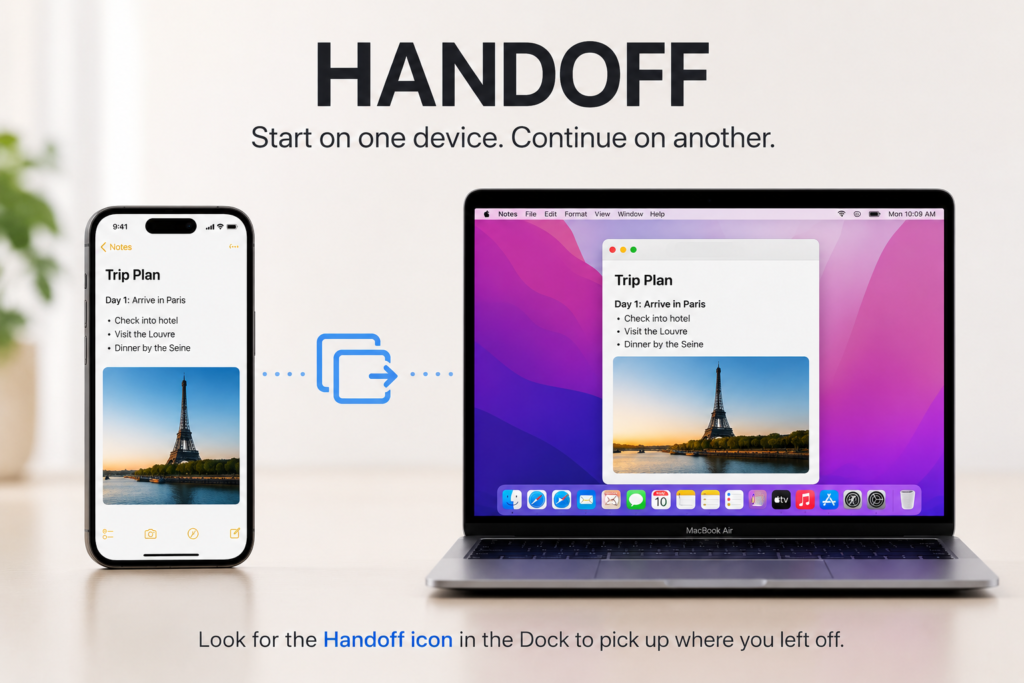
Handoff is one of Apple’s most practical Apple continuity features that demonstrates how Apple devices work together behind the scenes. Apple’s official Continuity documentation explains that Handoff lets users start a task on one Apple device and continue it on another nearby device that is signed into the same Apple ID. For example, you can start writing a long email on your iPhone while on the train, continue it on your MacBook when you get to work, and finish the text on an iPad later that evening.
How Handoff Works
This feature relies on automatic device detection and encrypted local connections. Handoff works seamlessly with native apps like Safari, Mail, Notes, Messages and Maps and many third-party apps.
Switching devices feels very smooth because Apple controls the full ecosystem’s software and hardware. If a device detects an active task from another nearby device, a dynamic icon will appear in the Mac Dock or iPad App Switcher allowing you to continue what you were doing.
Universal Clipboard
Apple includes Universal Clipboard as part of its Continuity framework, allowing copied content to be pasted across nearby Apple devices. The Universal Clipboard is a small but useful feature that simplifies copying content across devices. When this feature is enabled, if you copy text, a block of code, a web URL or an image on your iPhone, it will automatically be copied to the clipboard of your nearby MacBook or iPad.
This easy system removes the need to send yourself notes by email, send links to yourself or use extra clipboard apps.
From my experience, Universal Clipboard sounds minor until you start using it every day. Being able to instantly copy something on your iPhone and paste it onto a MacBook or iPad without any setup becomes incredibly convenient over time.
Although simple, Universal Clipboard is one of those Apple ecosystem features that users quickly become dependent on.
iCloud: The Foundation of the Ecosystem
When discussing Apple ecosystem benefits, iCloud is often considered the foundation that keeps everything connected. iCloud syncs your data, photos, application files, personal notes, secure passwords, text messages, contacts and calendar events in real time across all your Apple devices.
Everyday Benefits of iCloud
When iCloud is working in the background, a photo taken on an iPhone shows up instantly on an iMac, and an edited sentence in a note shows up instantly on all screens. iCloud also securely backs up devices automatically, which means that when you switch to a new device or restore a lost or broken device, you simply log back into your account, and you have everything synced back instantly.
In fact, iCloud is the feature that makes the Apple ecosystem feel truly connected. Small continuity features are useful, but automatic syncing between devices is what makes everything feel consistent from day to day.
Maintaining regular backups is an important part of keeping your devices healthy over the long term. You can also read our Ultimate Guide to iPhone Battery Health to learn how proper maintenance habits can extend the lifespan of your Apple devices.
iPhone Mirroring and Mac Integration
iPhone Mirroring is one of the newest Apple continuity features introduced to strengthen Mac and iPhone integration. With this feature, you can view and control your iPhone from your Mac screen, no need to pick up your phone.
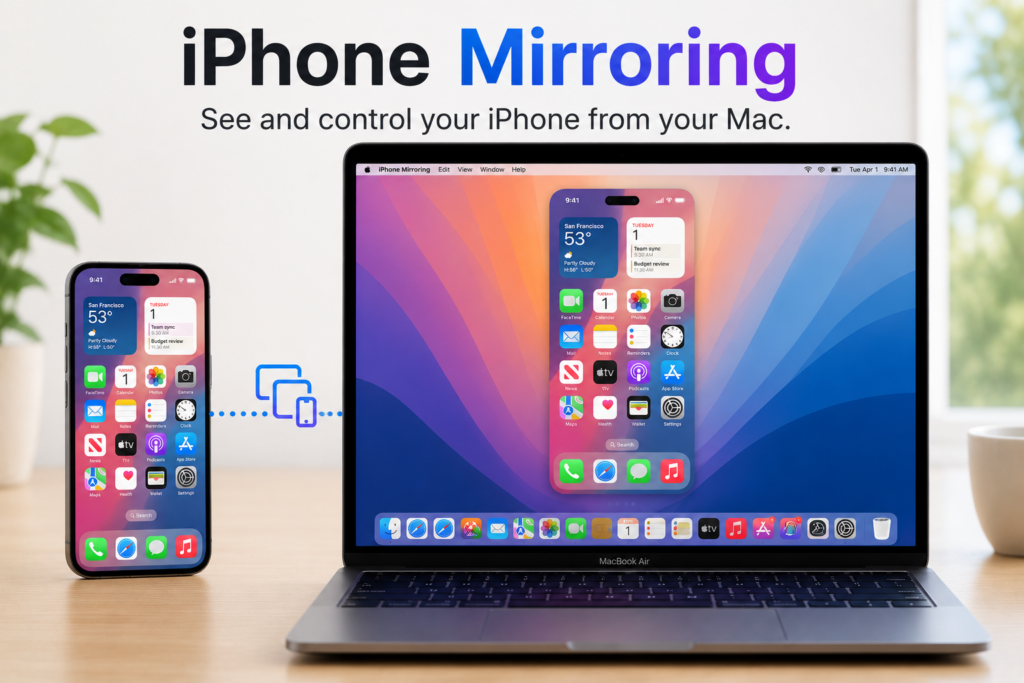
Users can manage live iPhone notifications on their Mac, launch iOS apps in a dedicated window and easily drag and drop files, photos or text between macOS and iOS. That makes the two devices work together more naturally, creating a single, tightly integrated setup of MacBook and iPhone.
Calls and Messages Across Apple Devices
Apple eliminates the frustration of missed communications by intelligently routing phone calls and text messages throughout its ecosystem. If your iPhone is charging in another room, you can answer incoming cellular calls directly from your MacBook, iPad, or Apple Watch.
Similarly, the ecosystem bridges standard SMS text messages alongside iMessage. You can initiate conversations, reply to group chats, and view historical message threads from any device. This intelligent notification routing ensures that whether you are deep in a video editing session on a Mac or working out with an Apple Watch, you remain connected without being tethered to a smartphone.
This feature is another excellent example of how Apple devices work together to keep communication uninterrupted.
Apple Watch Authentication Features
The Apple Watch is a useful companion to the iPhone and the Mac, acting as a secure unlock device. If you have an unlocked Apple Watch on your wrist, your MacBook will automatically unlock as you approach it, without needing to type a password or even use Touch ID.
Plus, the watch can even instantly approve password requests, system settings and Apple Pay purchases on the Mac with a simple double-click of its side button. This makes security feel much more convenient, making authentication quicker and easier.
In real world use, automatically unlocking a Mac with an Apple Watch removes a lot of small interruptions throughout the day, especially for people who frequently move between devices or work on their laptops constantly. It is one of the clearest examples of Apple combining convenience and security in a way that feels almost invisible during daily use.
AirPods Automatic Audio Switching
Automatic audio switching is one of the lesser-known Apple ecosystem features, but it significantly improves the user experience. The AirPods are a good example of how Apple devices work together when a company builds both the devices and their accessories. Inside are custom Apple audio chips that smartly detect which device you are using and automatically switch audio between your Apple devices.
You’re working on your MacBook while listening to a podcast. When someone calls your iPhone, you can answer the call, and your AirPods will automatically switch their audio connection to your phone. When you end the call, the audio switches back to your MacBook automatically. This means no more hassle of pairing Bluetooth devices every time, giving you a much more convenient audio experience.
Spatial Audio on Apple Devices
According to Apple, Personalised Spatial Audio uses advanced audio processing and device sensors to create a more immersive listening experience. Apple’s hardware and software work together to deliver cinematic-style sound with Personalised Spatial Audio. The ecosystem uses sensors in AirPods and the motion tracking on an iPhone, iPad or Apple TV to create a more immersive directional audio uniquely adjusted for the user’s ear profile. The audio adjusts automatically when you tilt your head or move in relation to the screen for more cinematic audio that adds a more cinematic feel to media.
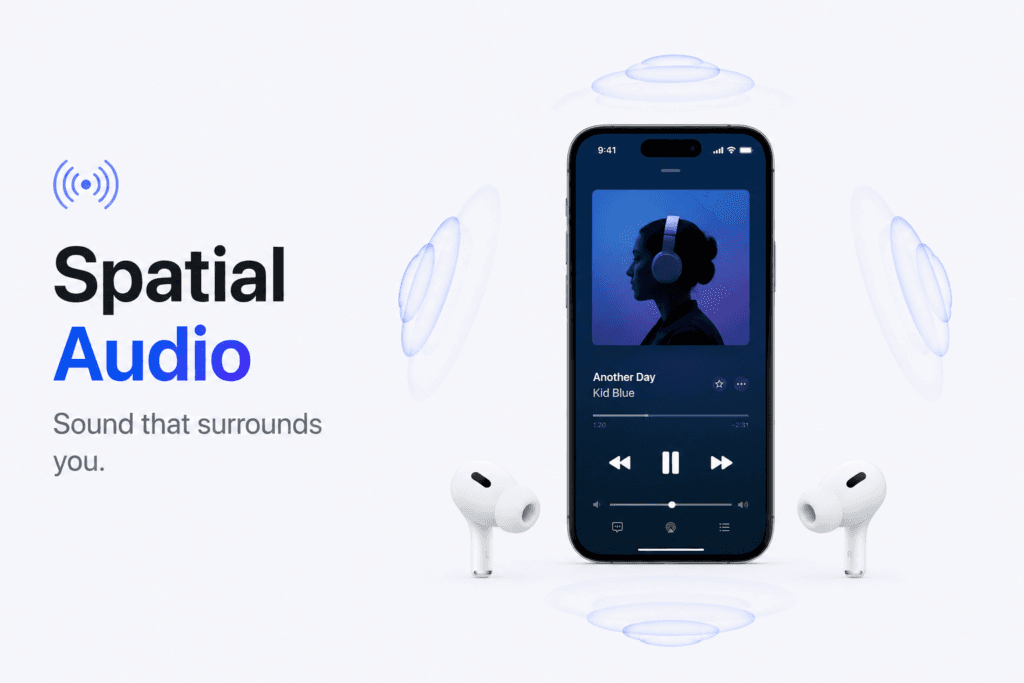
From everyday use, the biggest advantage is its convenience. Once Spatial Audio is enabled, it works automatically across compatible Apple devices without requiring complicated setup or third-party apps.
Find My and Device Tracking
The Find My network is a large device-finding network that uses nearby Apple devices to help locate lost items while protecting user privacy. This system allows users to locate lost or stolen iPhones, MacBooks, AirPods, Apple Watches and AirTags.
How Find My Works
It operates by sending encrypted Bluetooth signals from lost devices. Nearby Apple devices can pick up these secure signals and anonymously report the location of the lost item back to the owner using iCloud. It’s all end-to-end encrypted, so nobody not even Apple or other Apple users knows what devices are involved or where they are. Your devices can still be located even when offline.
Shared Ecosystem Features for Families
The Apple ecosystem offers tools for families to make sharing services easier. With a family plan, up to six family members can share digital purchases, iCloud storage plans, location information and premium subscriptions like Apple Music, Apple TV+ and Apple Arcade. It also includes helpful tools to help manage Screen Time, track device locations and approve App Store purchases remotely, giving parents more control over shared devices and services.
Continuity Camera
Continuity Camera has quickly become one of the best Apple ecosystem features for professionals, students, and remote workers. Continuity Camera turns your iPhone’s powerful camera into a high-quality wireless webcam for your Mac.
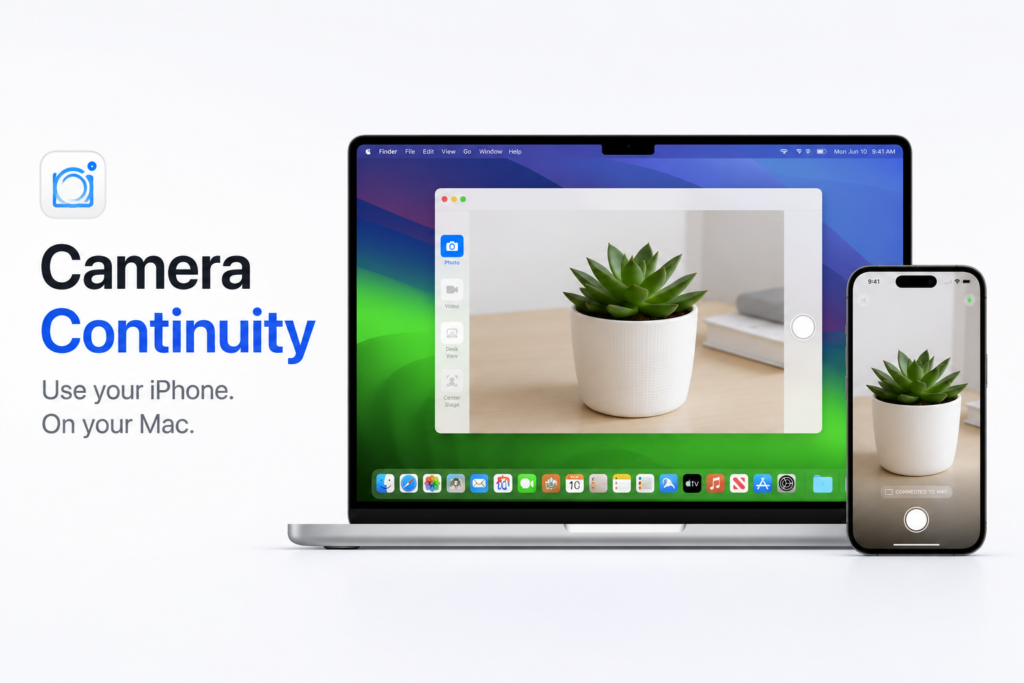
Since iPhone cameras are typically much better than built-in laptop webcams found in computers, macOS will automatically detect an iPhone nearby and use its lens for video calls in Zoom, FaceTime, or Teams. This also enables advanced video tools such as Center Stage, which keeps you in view as you move around and Desk View, a new mode that mimics an overhead camera angle to show your physical workspace during presentations.
Practically, Desk View is particularly useful because it allows users to show documents, sketches, products, or a workspace during a call without needing a second camera setup.
Sidecar: Turning an iPad into a Second Monitor
Alongside Universal Control, Sidecar represents one of Apple’s most useful Apple continuity features. Apple states that Sidecar allows an iPad to function as a secondary display or drawing tablet for a Mac.
Sidecar turns an iPad into a second display for a MacBook, for students and creators who need extra room to work across multiple apps. Sidecar works over a wireless or USB connection, so you can move app windows from your laptop to your iPad’s display. It also supports touch, gestures, and Apple Pencil input, allowing you to sketch, annotate documents or edit photos on your iPad and see updates in real time in desktop applications such as Adobe Photoshop or Final Draft.
In real world use, the biggest advantage is being able to add a second screen anywhere, whether you’re in a classroom, café, or airport can make multitasking much more comfortable without carrying extra equipment.
Safari Sync and Unified Password Management
Web browsing still stays synced across devices as Safari keeps synced open browser tabs, bookmarks, reading lists and history across all your devices. So if you were researching a topic on a desktop Mac, you can get up and walk away and see those exact same open tabs in your tab overview on your iPhone.
Apple also extends this convenience to passwords. iCloud Keychain securely stores passkeys and other account credentials, and it auto-fills them on iOS, iPadOS and macOS using Face ID or Touch ID, making everyday browsing more convenient.
Apple Ecosystem for Students and Creators
The Apple ecosystem benefits are especially noticeable for students and content creators who frequently move between devices. The Apple ecosystem offers useful advantages to students and digital content creators, making everyday tasks easier.
For Students
Students can handwrite lecture, study notes and diagrams on an iPad with the Apple Pencil and see those notes instantly transfer to their MacBook for reports and projects. Students can keep study materials organized without having to worry about file management or storage, with AirDrop and iCloud syncing notes between devices.
For Creators
Content creators have the same connected experience. A videographer can film 4K video on an iPhone, AirDrop the raw files to a MacBook Pro and start editing almost immediately. Apple removes many of the extra steps involved in memory cards, external hard drives or manual cloud uploads, allowing creators to focus on editing rather than file transfers.
Since many ecosystem features rely on continuous synchronization and connectivity, maintaining good battery health is important for long-term performance. Learn how to maintain the battery health in our Ultimate Guide to Phone Battery Health.
Privacy Across the Apple Ecosystem
Privacy is a core part of Apple’s ecosystem. Apple has spent years improving on-device processing, end-to-end encryption of data, and dedicated security hardware to secure users’ personal data.
Apple designs features like iCloud sync, maps navigation data, and Apple Intelligence queries to collect minimal data. These strong privacy protections protect your data from outside tracking, data brokers and corporate profiling as it moves between your phone, watch and laptop. Privacy remains one of the strongest Apple ecosystem benefits, helping Apple differentiate itself from competitors.
Apple’s growing focus on AI reflects a broader industry shift toward on-device intelligence. For a detailed look at how AI affects smartphone performance, read our detailed article, Are AI Features Slowing Down Android Phones?
In everyday use, the biggest advantage is peace of mind. Features like on-device processing, encrypted password storage, and privacy controls allow people to use connected services without constantly worrying about where their personal information is being stored or shared.
Why People Stay in the Apple Ecosystem
Apple users often describe the seamless integration between Apple products as an easy-to-use ecosystem, but many users find it difficult to leave. With the speed of a shared clipboard, the security of the Find My network, and the ease of taking calls on a laptop, once you get used to these things, moving to another platform can seem less convenient. Apple removes the small everyday frustrations and makes daily use easier, which becomes more useful and keeps the users in the ecosystem.
Practically, users rarely buy a MacBook because of AirDrop alone or an Apple Watch because of Auto Unlock. But when all of those features work together, the overall experience becomes noticeably more convenient, which is why many people find it difficult to leave the ecosystem once they become used to it.
Apple Ecosystem vs. Competitors
Comparing Apple ecosystem features with competing ecosystems from Samsung and Google highlights Apple’s advantage in integration and consistency. Competitors such as Google and Samsung have improved significantly in building their own ecosystems, but Apple still holds an advantage in terms of tight integration between hardware and software and consistency.
Apple builds the custom chips, operating systems and core cloud services for all its devices, meaning it can roll out features with a level of smooth implementation that is yet unmatched. This ownership of the full ecosystem makes ecosystem tools reliable day after day, strengthening Apple’s position as an industry leader in cross-device continuity.
Final Thoughts
What I like most about the Apple ecosystem is that it takes the focus away from the individual devices and makes you think about the user experience. Apple sees your phone, laptop and tablet not as three separate devices but as a connected set of devices that work together to make your daily life easier. The best Apple ecosystem features, including AirDrop, Handoff, Universal Control, Continuity Camera, and AirPods auto-switching, reduce friction and make everyday tasks simpler.
Ultimately, the strength of Apple’s platform comes from how Apple devices work together rather than from any individual product. From my perspective, the best thing about the Apple ecosystem isn’t the technology, it’s the consistency. Most of these features do their work silently in the background. You expect your files, messages, photos and devices to be there when you need them. That’s part of what makes the ecosystem so appealing to many users.
What is iPhone Mirroring and can I use it while my phone is locked?
iPhone Mirroring is one of Apple’s newest Apple continuity features, allowing you to see and control your iPhone directly on your Mac display. Your physical iPhone remains locked while in use. You can keep your iPhone in a bag or across the room while you open apps, respond to iOS notifications, or move files between your Mac and iPhone.
How does Apple Intelligence enhance Apple ecosystem features?
Apple Intelligence is uniquely integrated throughout iOS, iPadOS, and macOS rather than acting as a standalone app. It understands information across your devices, meaning a priority email highlighted on your Mac or a text summary generated on your iPhone stays available on all your devices. It uses on-device processing combined with Private Cloud Compute to maintain privacy protections when syncing.
Why aren’t my AirPods automatically switching between my devices?
If automatic audio switching is not working properly, check the following settings:
1. Ensure all devices are signed into the same Apple ID.
2. Make sure your software is updated to the latest software updates across your iPhone, iPad, and Mac.
3. Open Bluetooth settings, tap the ⓘ button next to your AirPods, and confirm that Connect to This [Device] is set to Automatically.
What is the difference between Sidecar and Universal Control?
Both are important Apple continuity features, but they serve different purposes.
Sidecar: Turns your iPad into a secondary display (monitor) for your Mac. You can drag windows from your Mac onto the iPad screen.
Universal Control: Keeps the devices continuing to run separately (macOS and iPadOS) but allows you to use a single mouse and keyboard to move between the screens and drag files back and forth.
Does the Find My network still work if my Apple device is offline or powered off?
Yes, in most cases modern Apple hardware retains a small amount of reserve power that allows it to broadcast encrypted Bluetooth signals even when turned off or disconnected from Wi-Fi and cellular data. Nearby Apple devices in the Find My network anonymously and securely relay location information and update the location in your Find My app without revealing any personal information.
Can I share Apple subscriptions and storage with family members who use Android?
Only partially. Family Sharing is one of the most practical Apple ecosystem benefits available to Apple users. Some Apple services, such as Apple Music and Apple TV+, have dedicated apps on Android and can be used if you’re in a Family Sharing plan. But many Apple ecosystem features share iCloud+ storage and purchases and require location tracking and a signed-in Apple ID on an Apple device.